Creative Cloud vs Envato Elements: Software or Asset Library
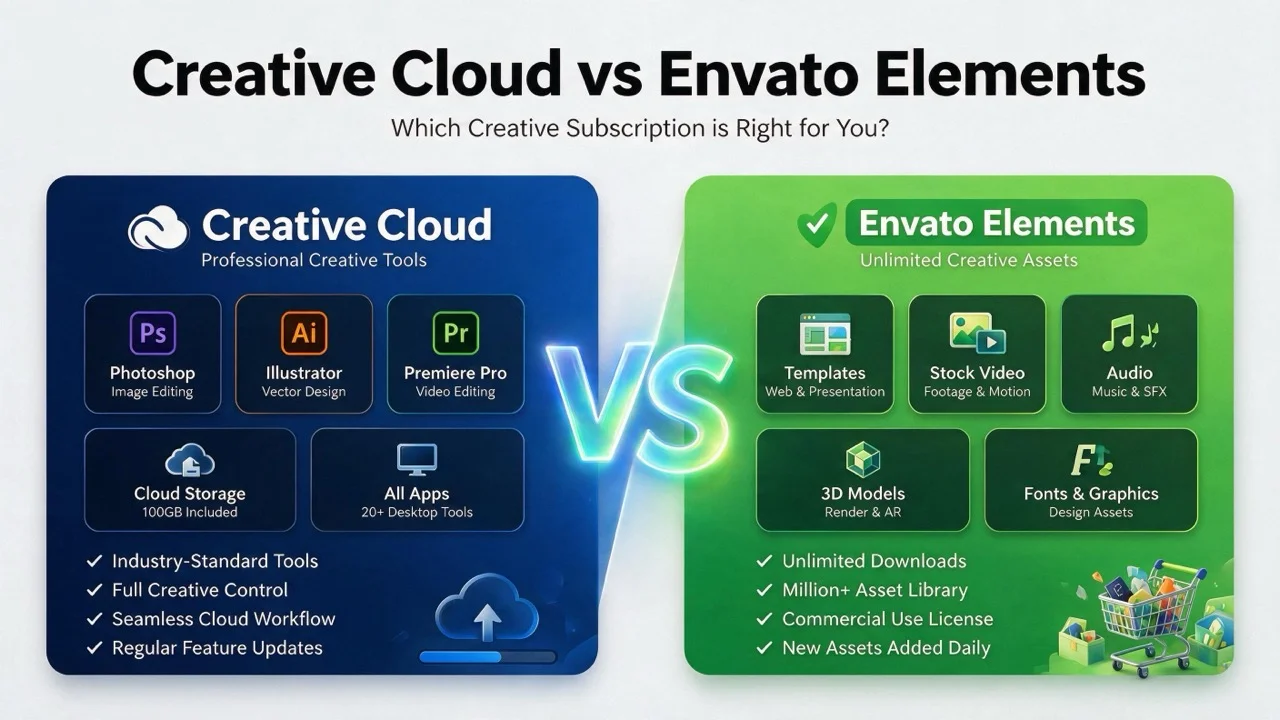
These two get compared constantly and they are not the same kind of product. Creative Cloud sells software. Envato Elements sells assets to open in it. One is a workshop, the other is a materials supplier.
The comparison is still worth making, because a lot of people are paying for both and only using one properly.
The actual division
| Creative Cloud | Envato Elements | |
|---|---|---|
| What you get | Applications | Templates, stock, fonts, audio, video |
| What stops on cancellation | The software | New downloads |
| What survives cancellation | Exported files only | Licences registered while subscribed |
| Replaces the other? | No | No |
That third row is the one to read twice. Cancel Elements and every licence you registered during the subscription stays valid for the project you registered it against — there is more detail in our piece on how the Elements licence works. Cancel Creative Cloud and you cannot open your own project files at all.
They fail in opposite directions, which is a better guide to what each one is than any feature list.
Where the overlap genuinely exists
Two places, both narrow.
Fonts. Creative Cloud includes a substantial type library with its subscription; Elements includes one too. If licensed typefaces are your main reason for either subscription, you may only need one.
Stock imagery. Adobe Stock is a separate paid product, but entry credits appear in some Creative Cloud bundles. For low-volume stock use that can be enough, and a second subscription is waste.
Everything else — the applications on one side, the templates on the other — does not overlap at all.
Who needs only Creative Cloud
Anyone producing original work from scratch. Photographers editing their own images. Illustrators drawing rather than assembling. Video editors cutting their own footage.
If you rarely start from a template, an asset subscription is a library you pay to browse.
Who needs only Elements
Anyone assembling rather than originating, using software they already have. Plenty of capable work happens in Canva, Figma, Affinity or DaVinci Resolve, none of which require an Adobe subscription.
Elements assets come in formats those tools mostly handle. The exception is Adobe-native template files, which need Adobe software — check the file format before downloading if you are not a Creative Cloud subscriber.
Who needs both
Studios and freelancers producing volume for clients. Adobe supplies the tools clients expect deliverables in; Elements supplies the raw material that would otherwise be commissioned or licensed per item.
At that scale both pay for themselves quickly. Below it, one of them is usually idle.
The mistake that costs money
Subscribing to Elements for assets you then cannot open, because the template is an Adobe-native file and you do not have the software. Or holding All Apps when your work is assembly in one application plus a template library.
Both are common and both are avoidable by checking what you actually opened last month rather than what you might open.
Bottom line
Not competitors. Decide what you do first — originate or assemble — then buy the one that matches, and add the second only when volume justifies it. See our Creative Cloud cost breakdown for the commitment structure on the Adobe side.
Subscription pricing and plan structure change regularly and differ by region and eligibility. Check current terms — and the cancellation terms specifically — before subscribing.